How-to guide
How to Make a Sale
Complete a customer sale in AiWeapX POS from product selection to payment and receipt.
1. Open Point of Sale
Open Point of Sale from the menu.
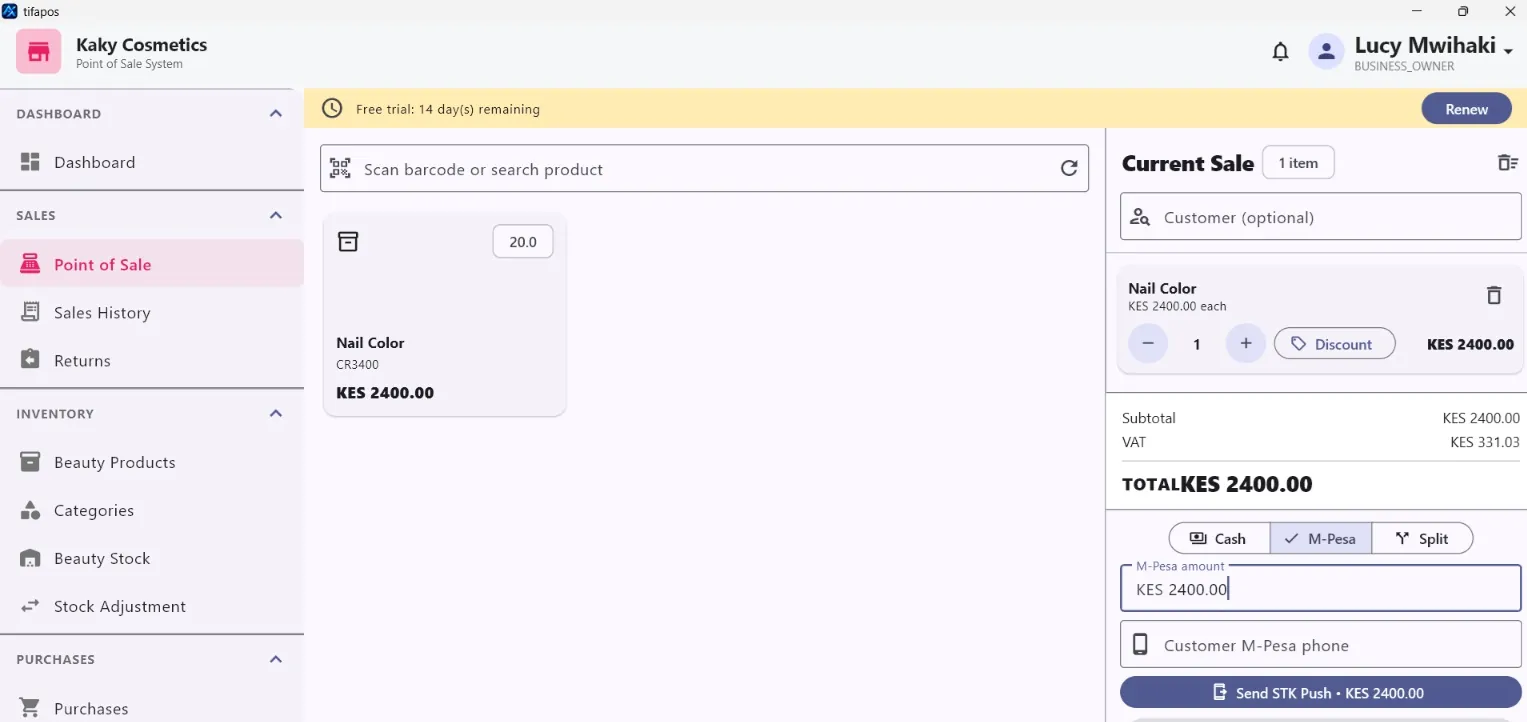
2. Add items
Search, select or scan products and set the correct quantities.
3. Take payment
Choose the payment method and complete the payment steps.
4. Finish and receipt
Complete the sale and print or view the receipt if required.
Need more help? Use the Help search above or contact AiWeapX support. Avoid repeating payments or transactions until you have confirmed the previous attempt did not complete.