Step-by-step guide
Products, Categories & Stock in AiWeapX POS
Keep product details and stock accurate so the POS can calculate sales and inventory correctly.
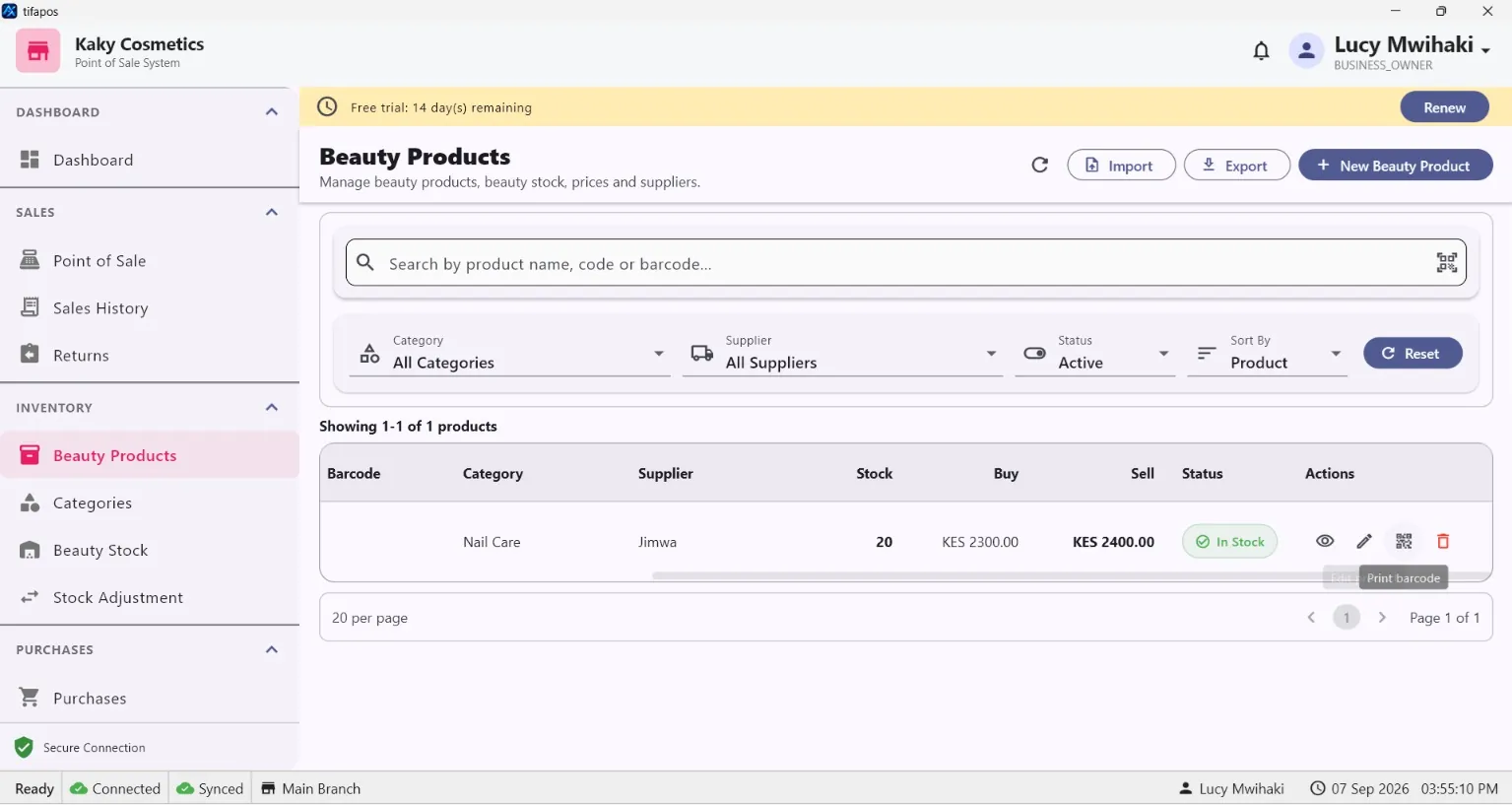
1. View products
Open Products.
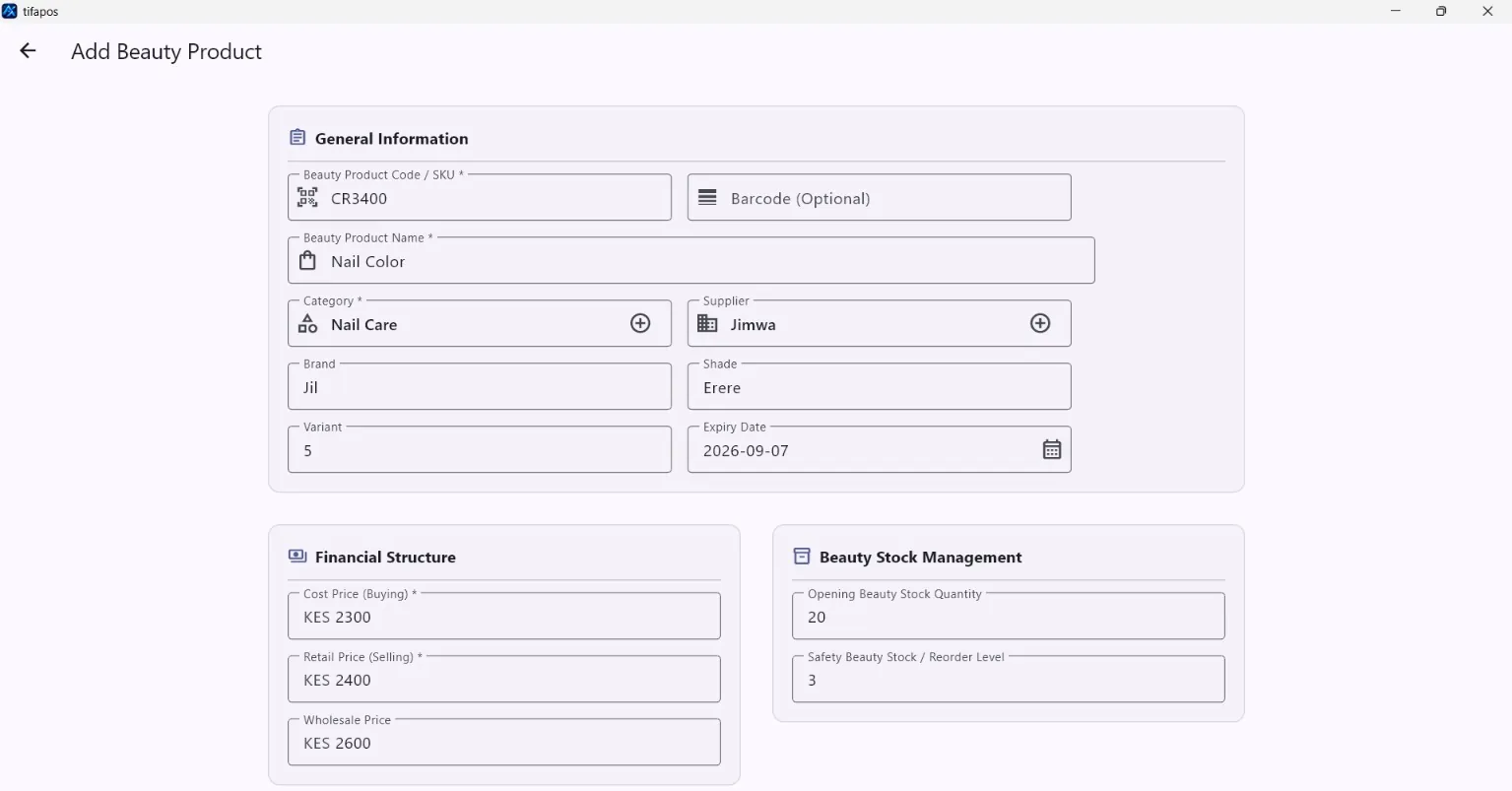
2. Add a product
Click the add product button, enter the product name, price, stock and other required details, then save. Add Product.
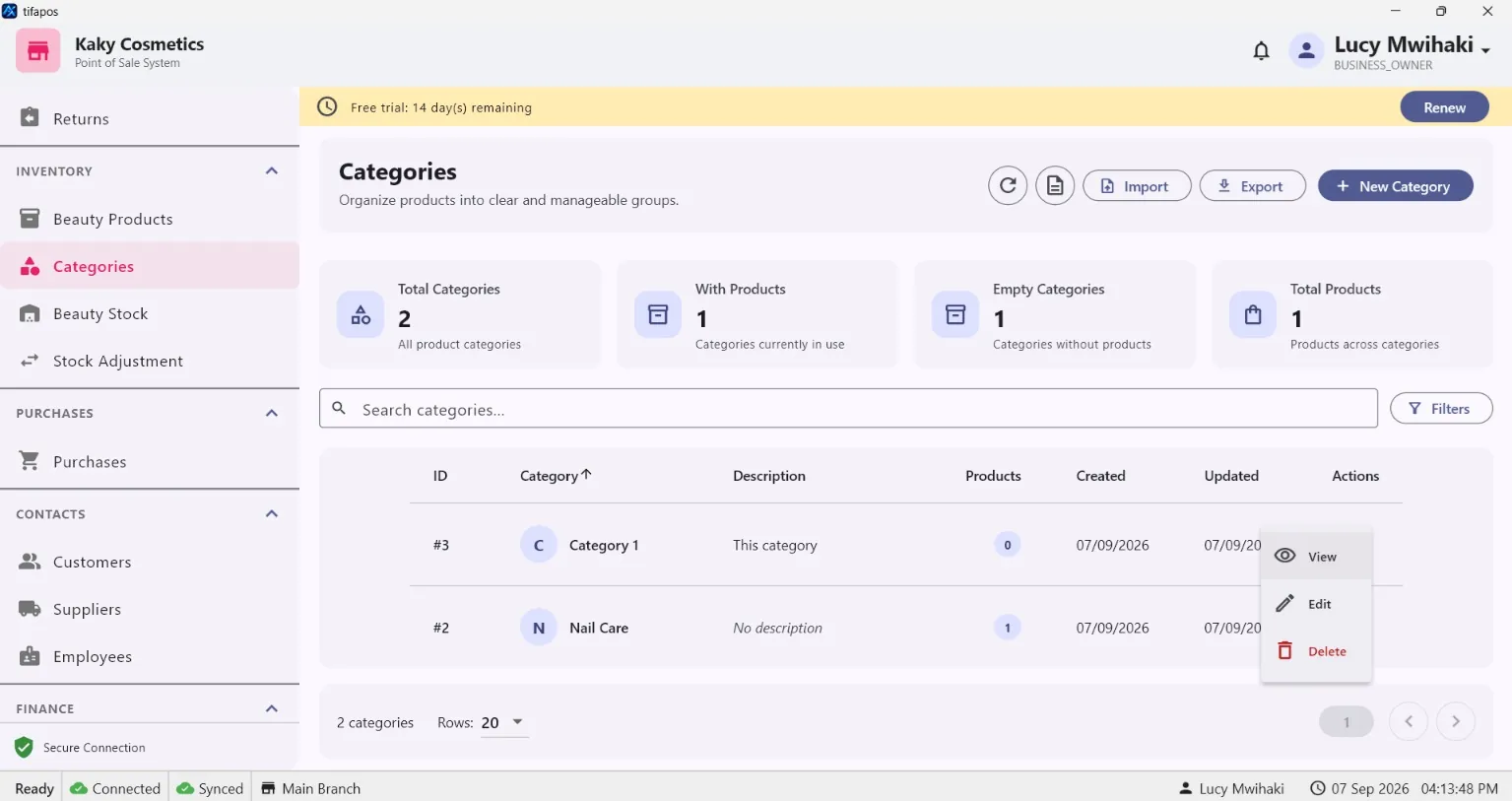
3. View categories
Open Categories.
4. Create a category
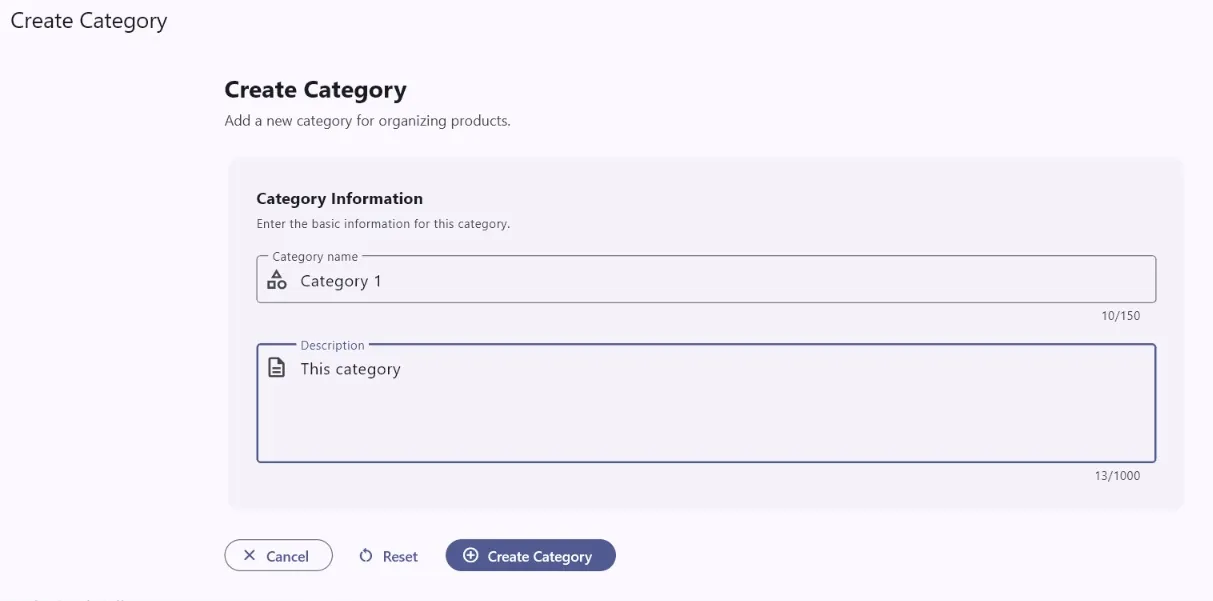
Click the create category button, enter the category name and save. Create Category.
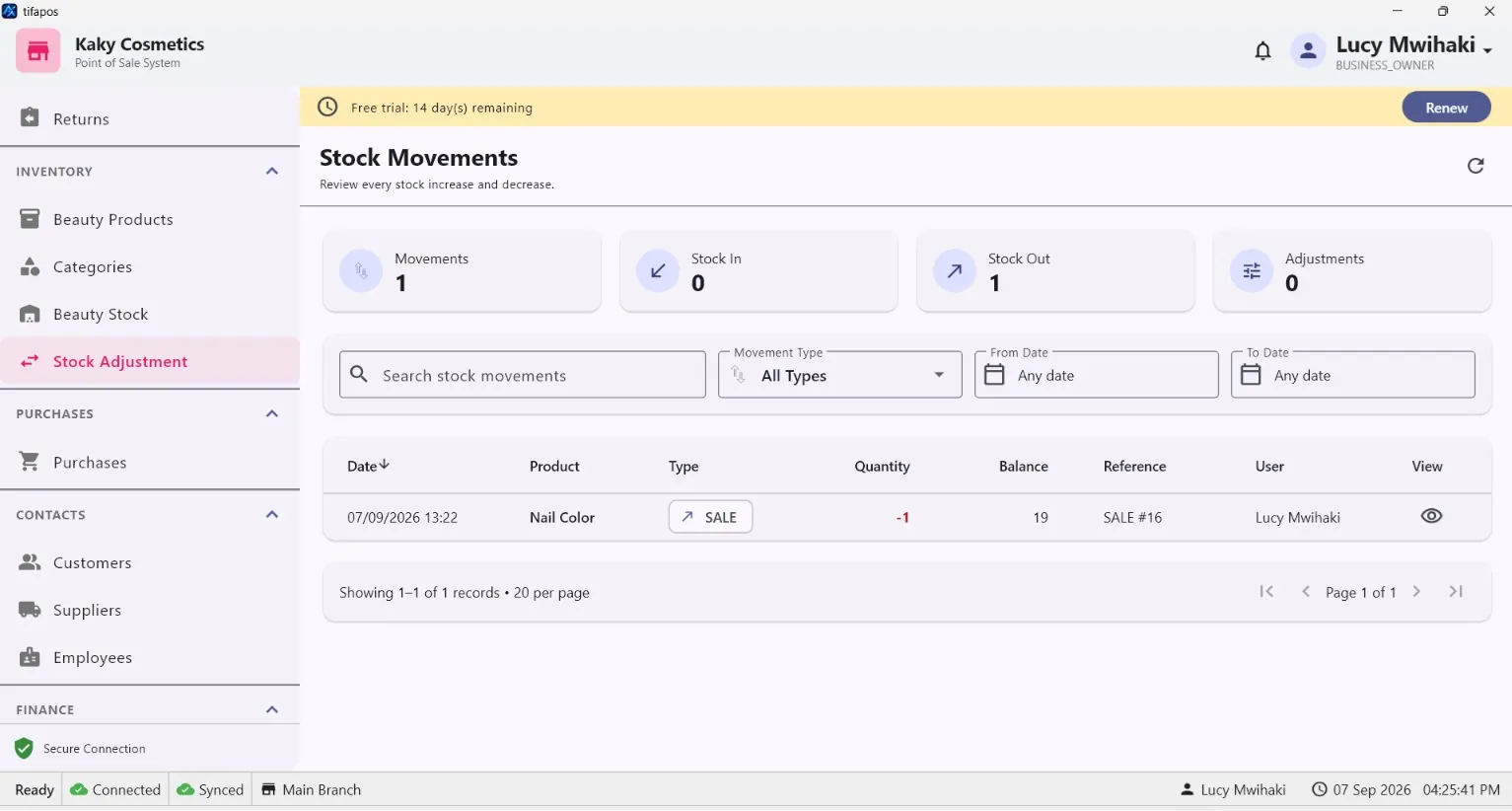
5. Adjust stock
Use Stock Adjustment when stock changes outside a normal sale or purchase. Select the item, adjustment type and quantity, then save. Stock Adjustment.