How-to guide
How to Find an Old Sale
Search Sales History in AiWeapX POS to find a previous customer transaction.
On this page1. Open Sales History2. Use search and filters3. Open the transaction4. Use available actions
1. Open Sales History
Open Sales History from the menu.
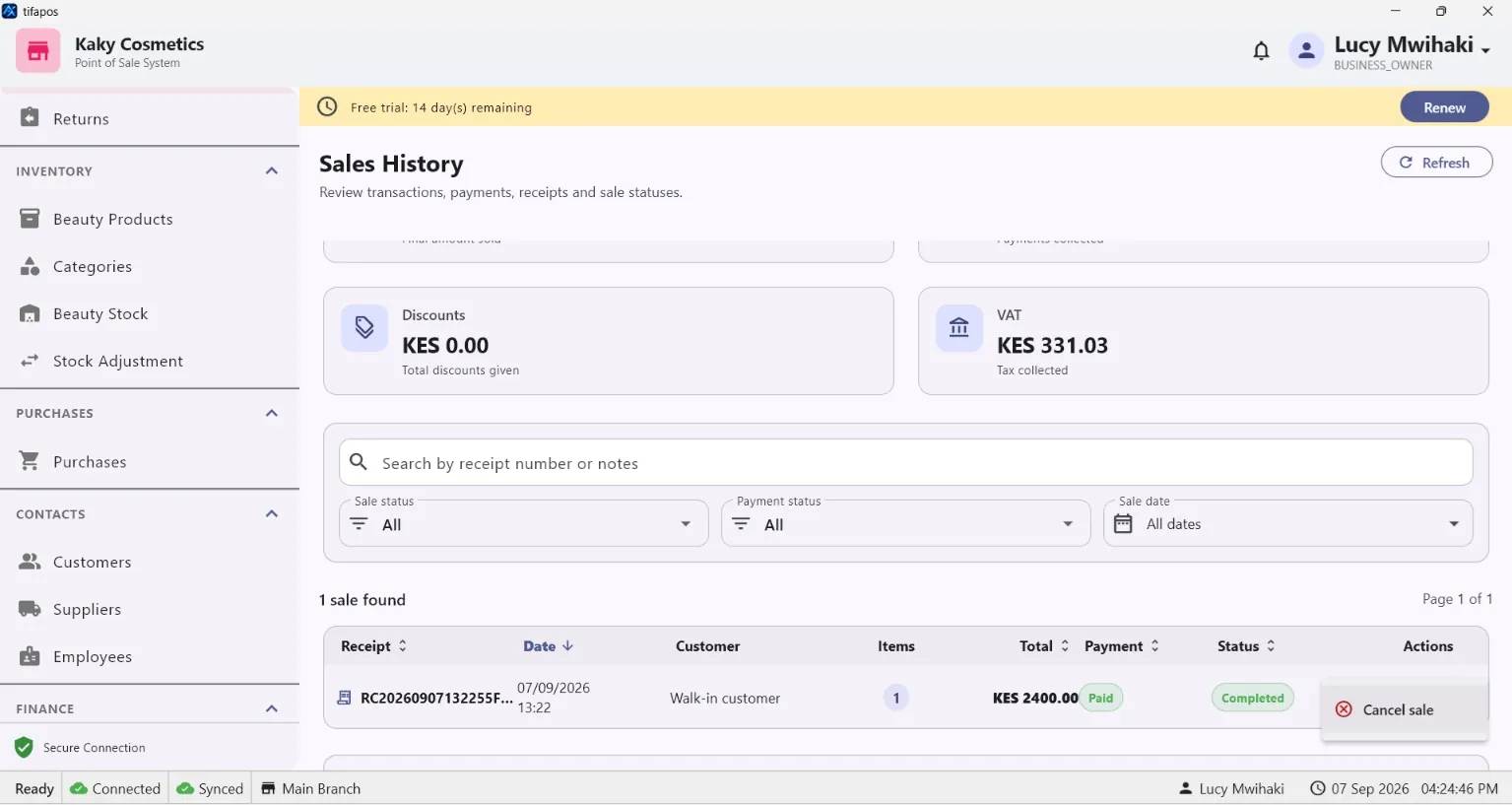
2. Use search and filters
Enter the available transaction, date or other identifying information.
3. Open the transaction
Select the matching sale to view its details.
4. Use available actions
Print/view the receipt or use other permitted transaction actions as needed.
Need more help? Use the Help search above or contact AiWeapX support. Avoid repeating payments or transactions until you have confirmed the previous attempt did not complete.